

Prerequisites
- Valid partner credentials (partner_id, partner_secret, organization_id, organization_secret)
- Parchment SSO Integration: You must first set up Parchment SSO before implementing iframe embedding
- Your domain needs to be whitelisted in Parchment’s environments
Implementation Steps
1. Generate SSO Token with Embed Path
When generating an SSO token for iframe embedding, use the/embed/ prefix in your redirect path:
🚀 API EndpointHeaders:
x-partner-id: Your partner IDx-partner-secret: Your partner secretx-organization-id: Target organization IDx-organization-secret: Organization secretx-user-id: Parchment user ID to authenticateContent-Type: application/json
Important: The
/embed/ prefix in the redirect_path tells Parchment to render the page in iframe-optimized mode, removing navigation elements and adjusting the layout for embedded display.Available Embed Paths
Response:
Query Parameters
The prescription form (/embed/patients/{patient_id}/prescriptions) accepts query parameters to pre-fill fields and to pass partner data through to webhooks. Append them to the redirect_path when generating the SSO token — they are preserved through the SSO redirect onto the embedded page:
URL-encode all values (e.g. a space becomes
%20, # becomes %23).Pre-fill parameters
Invalid numeric values are ignored (a warning is shown in the form); over-length text is truncated.
Reserved parameters
Opaque pass-through values for partner use. They are shown read-only on the form and delivered on the resulting webhook in the top-levelmetadata object (see Webhook Events).
Each reserved field is independent of the pre-fill precedence above. A field only appears on the form (and is forwarded to the webhook) when it is present and non-empty; absent fields are delivered as
null.
Example
A telehealth partner wants to tie the resulting prescription webhook back to their own records — the booking it came from, the consultation, and the acquisition channel. They pass those as reserved fields when generating the SSO token:
metadata, so the partner can reconcile the event against their booking system without any extra lookup:
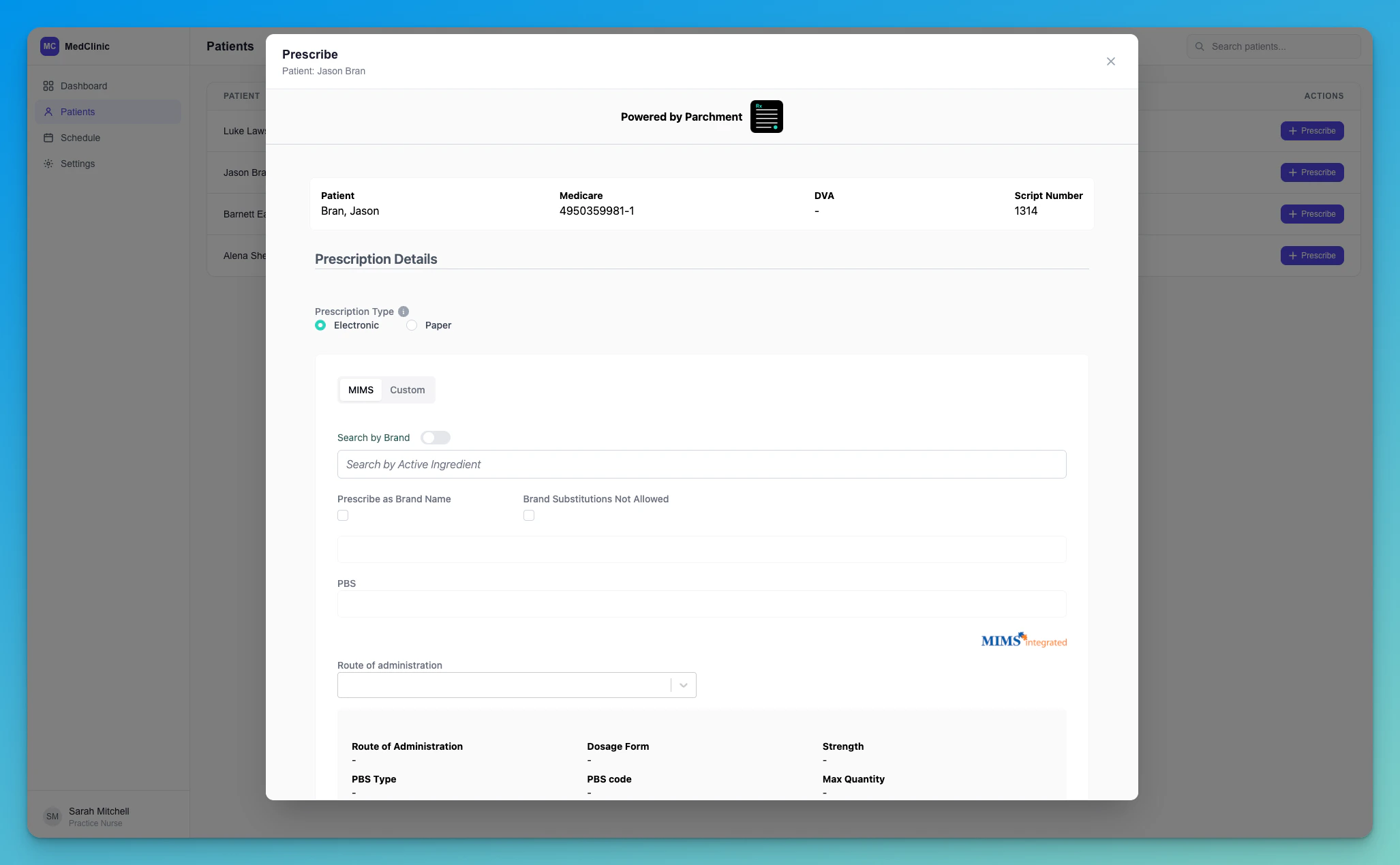
2. Embed in Your Application
Use the returnedredirect_url as the iframe source:
Result
Troubleshooting
Blank page with “HTTP ERROR 431”
If the embedded iframe (or the portal itself) shows a blank page readingHTTP ERROR 431 — Request Header Fields Too Large, the browser has
accumulated too many Parchment authentication cookies on the
parchment.health domain and the request header has grown past the
server’s size limit.
This almost always happens during integration testing, when the same
browser signs in many times in a short period — each sign-in can leave
behind cookies that aren’t cleaned up. End-users who sign in occasionally
are very unlikely to see it.
1
Open cookie storage for the Parchment domain
Open DevTools → Application → Cookies, then select the
https://portal.<env>.parchment.health entry.2
Clear the Parchment cookies
Click Clear all cookies (🚫) to remove every cookie for that domain —
in particular the
CognitoIdentityServiceProvider.* entries.3
Relaunch
Generate a fresh SSO token and load the iframe again. You’ll sign in
cleanly and the error will be gone.
To avoid this entirely while testing, use an incognito/private window
(or a separate browser profile) for each round of sign-in testing — its
cookies are discarded when the window closes.